

Atefia App Installation Errors and Fixes
Encountering problems while trying to install the Atefia app can be a frustrating experience, especially when you’re eager to explore its gaming library. This practical guide covers the most common installation errors on both Android and iOS devices, providing clear, step-by-step solutions to get you playing without delay.
Common Atefia App Installation Error Messages
Understanding the error message is the first step to resolving the issue. Here are the most frequent ones you might encounter:
- “App not installed.” (Android)
- “Installation blocked.” (Android)
- “Unable to download app.” (iOS)
- “Cannot connect to [App Store/Play Store].” (Both)
- “Insufficient storage available.” (Both)
These errors typically stem from device settings, network problems, or storage constraints, not from the Atefia casino app itself.
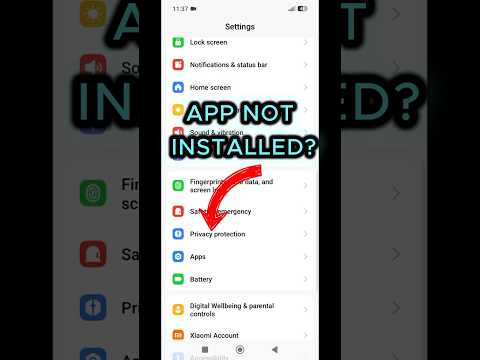

Step-by-Step Android Installation Troubleshooting
Android users often face hurdles due to security settings that block installations from outside the Google Play Store. Follow these steps to resolve them.
First, ensure you have allowed installations from unknown sources. Go to Settings > Security (or Apps & notifications on newer devices) and enable the “Unknown sources” or “Install unknown apps” option for your web browser. Next, clear the cache of the Google Play Store app by navigating to Settings > Apps > Google Play Store > Storage > Clear Cache. Attempt the download again. If the problem is insufficient storage, you will need to free up space by deleting old files, photos, or unused applications. Finally, always ensure you are downloading the latest version of the app directly from the official Atefia website to avoid corrupted APK files.

iOS Installation Issues and Resolution Steps
iOS installation problems are usually related to regional App Store restrictions or device compatibility. If you cannot find the app on the App Store, it is likely because your Apple ID is registered to a country where the app is not available. You would need to create a new Apple ID for a supported region or switch the region of your existing account, which requires a valid payment method for that country. Another common fix is to check your iOS version. The Atefia app may require iOS 14.0 or later. Update your device via Settings > General > Software Update. Also, a simple restart of your device can often resolve temporary glitches preventing a successful download.
Network and Device Requirements
A stable connection and compatible hardware are fundamental. The table below outlines the minimum requirements for a smooth installation and experience.
| Platform | Minimum OS Version | Free Storage Required | Stable Internet Speed |
|---|---|---|---|
| Android | Android 8.0 (Oreo) | 100 MB | 5 Mbps |
| iOS | iOS 14.0 | 120 MB | 5 Mbps |
Before attempting installation, verify your device meets these specs. A weak Wi-Fi or mobile data signal can corrupt the download file. For best results, connect to a reliable Wi-Fi network.
Getting Help from Atefia Support
If you have diligently followed all troubleshooting steps and the installation still fails, the issue might be more complex. The next course of action is to contact the professional support team at Atefia. They have access to server-side logs and can diagnose problems specific to your account or a wider app update. When you contact them, be ready to provide your device model, operating system version, and the exact wording of any error messages you receive. This information will help them provide a swift and accurate solution to get you back on track, potentially even unlocking a helpful Atefia bonus for the inconvenience.
Post-Installation: Claiming Your Atefia Bonus
Once the app is successfully installed, you can log in and claim any available promotions. New players should look for the Atefia no deposit offer, which typically grants free credits just for signing up, or the welcome package that might include a match bonus and Atefia free spins. Always navigate to the ‘Promotions’ section within the app and enter any required Atefia promo code to activate the offer. Remember to read the terms and conditions, particularly the wagering requirements, before playing with bonus funds.